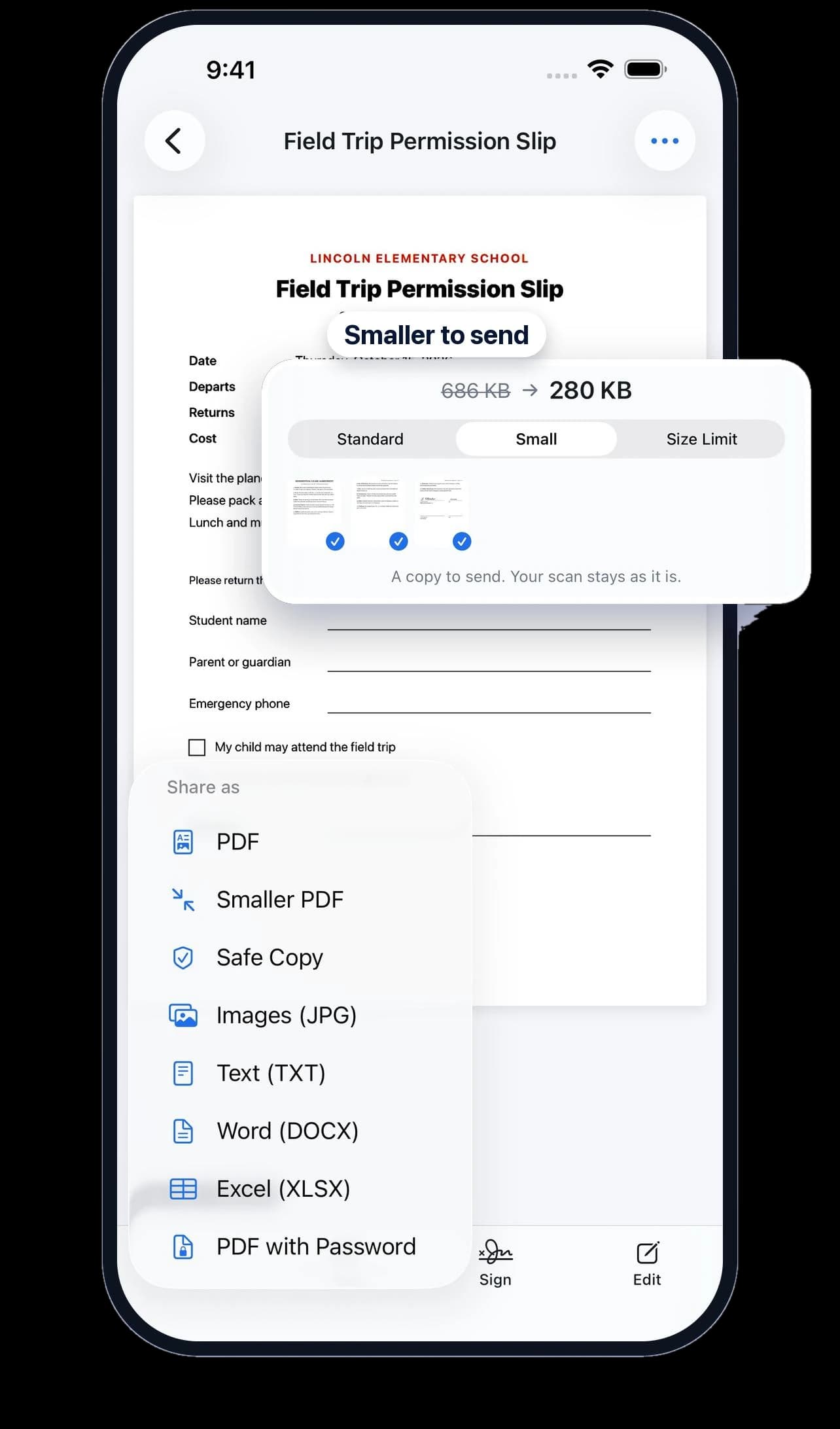
Too big to upload?
Shrink a PDF to fit email and upload limits, from a preset or a size you choose.
Free AI document scanner · No ads
Clean scans without fingers or shadows, each one named for you by on-device AI, a reminder before it's due, any page found by a word, and copies ready to send. Free to scan, with no ads.
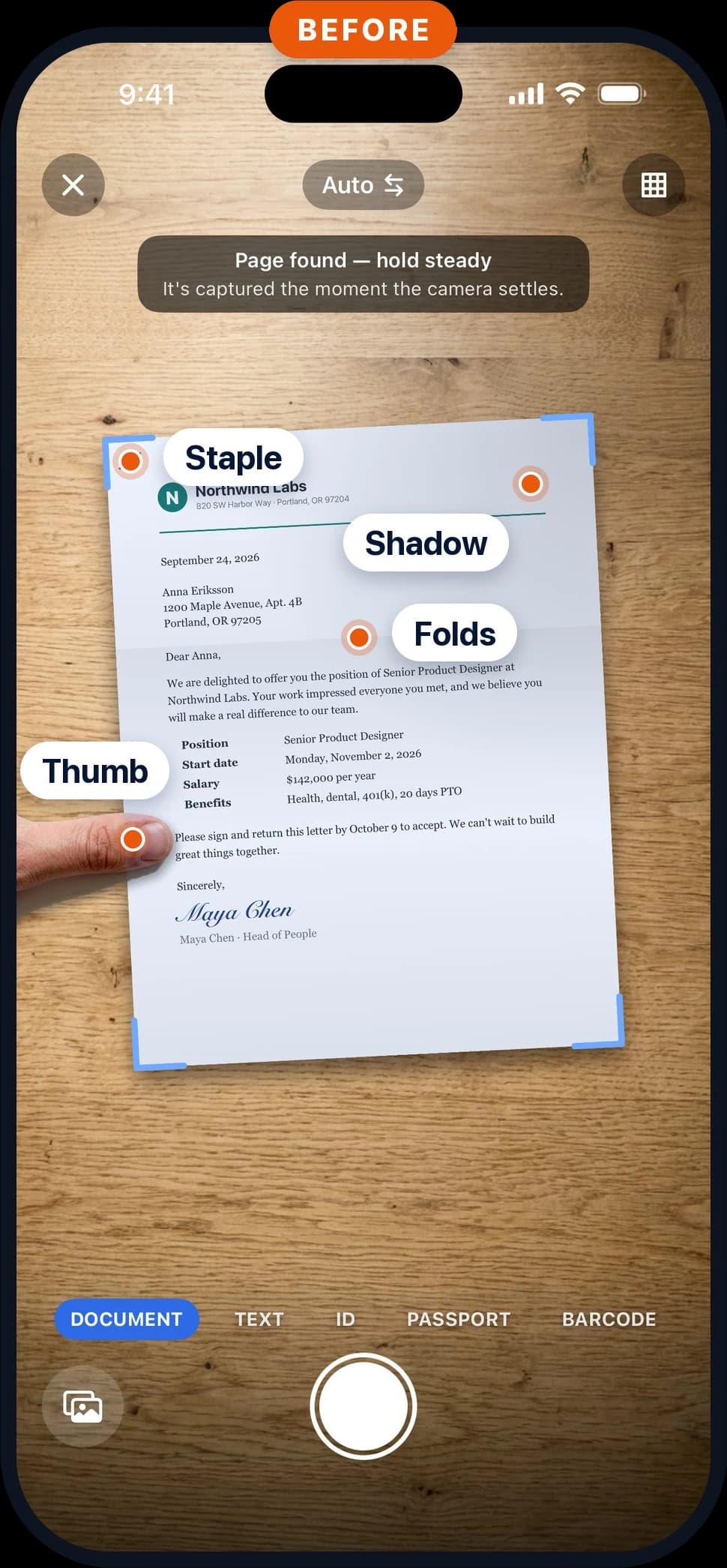
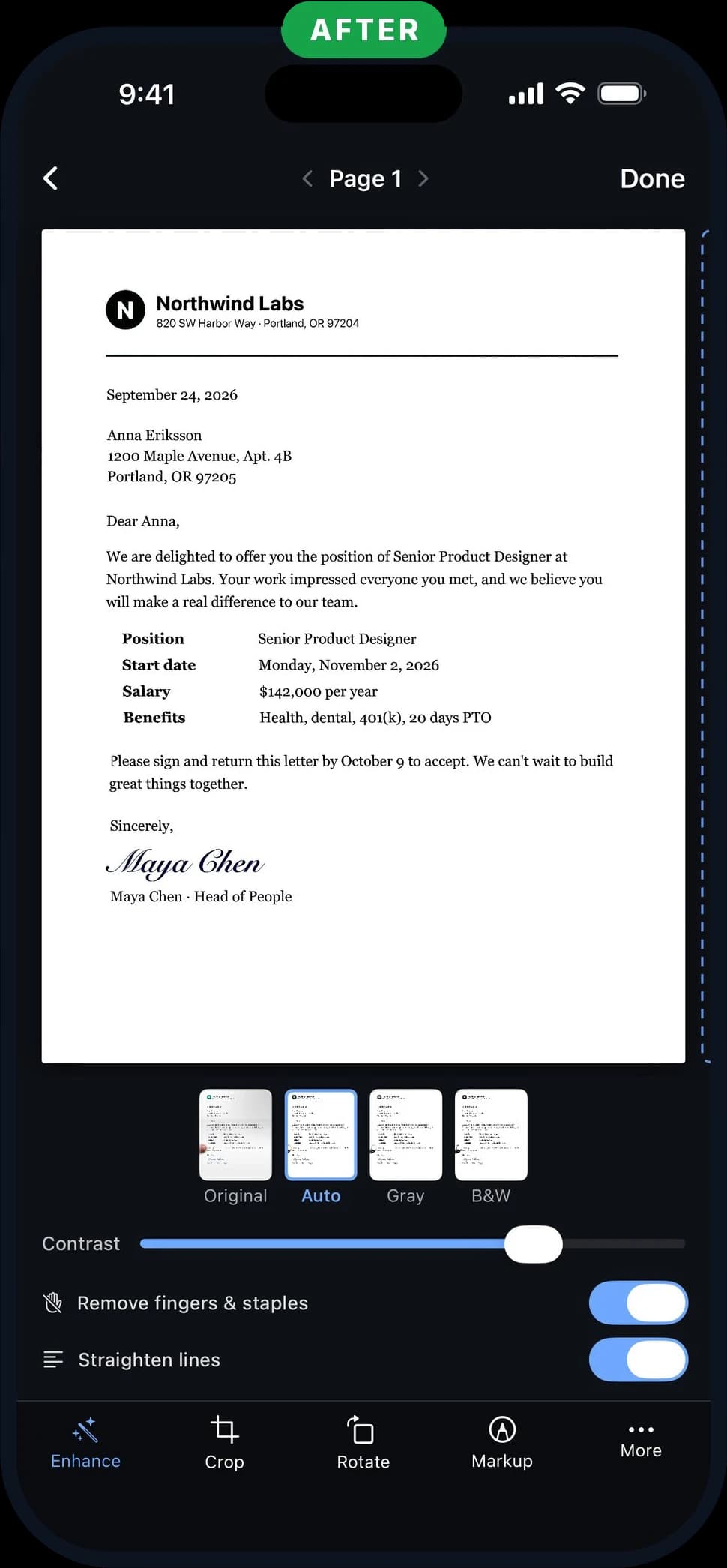
Fingers, staples and shadows erased. Folds flattened.
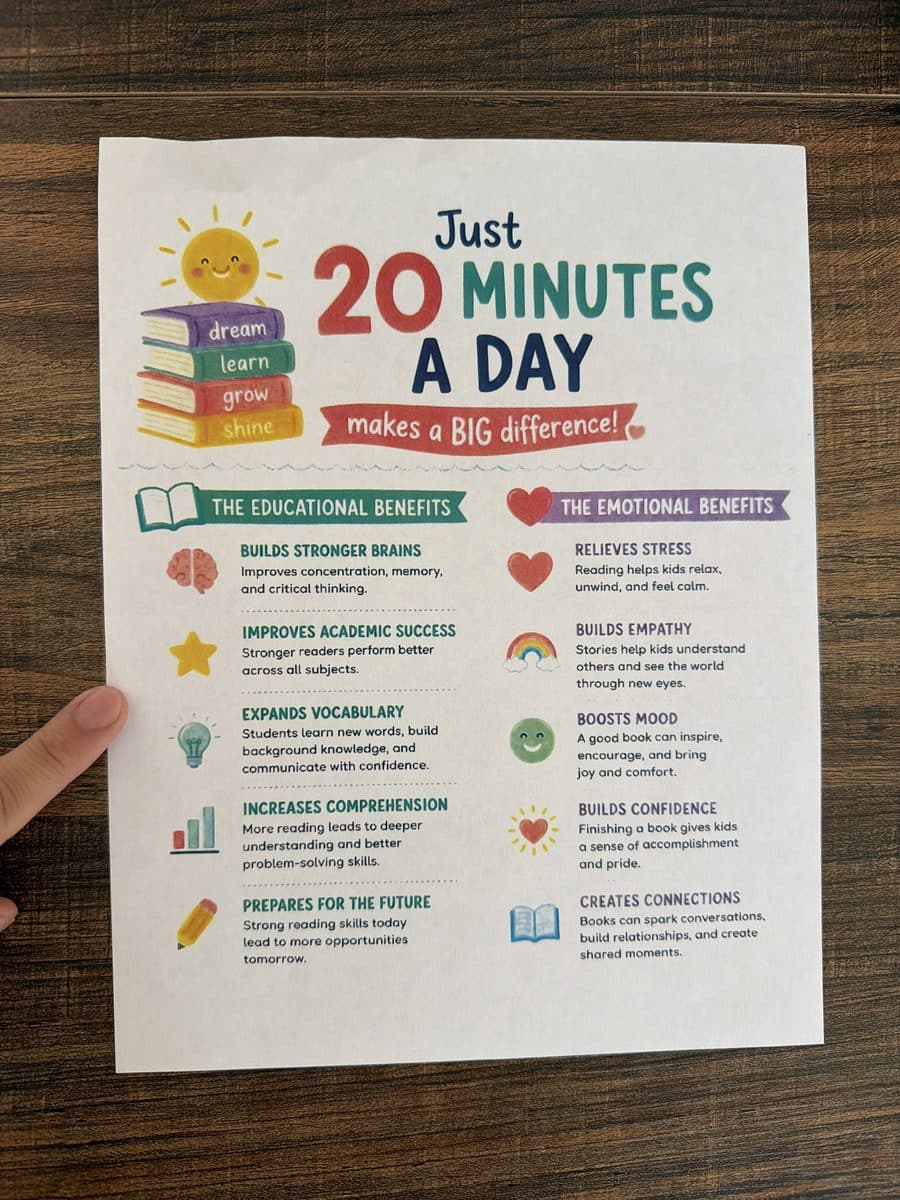
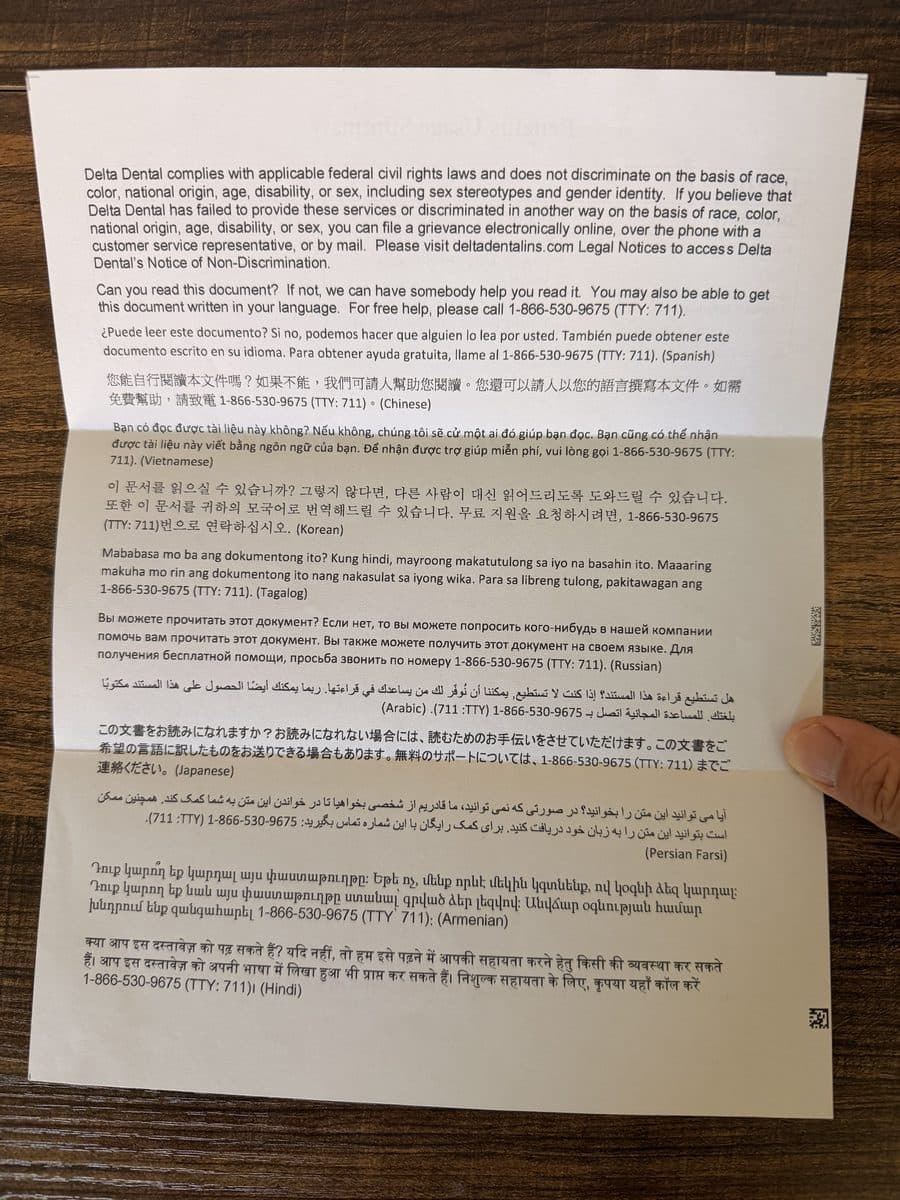
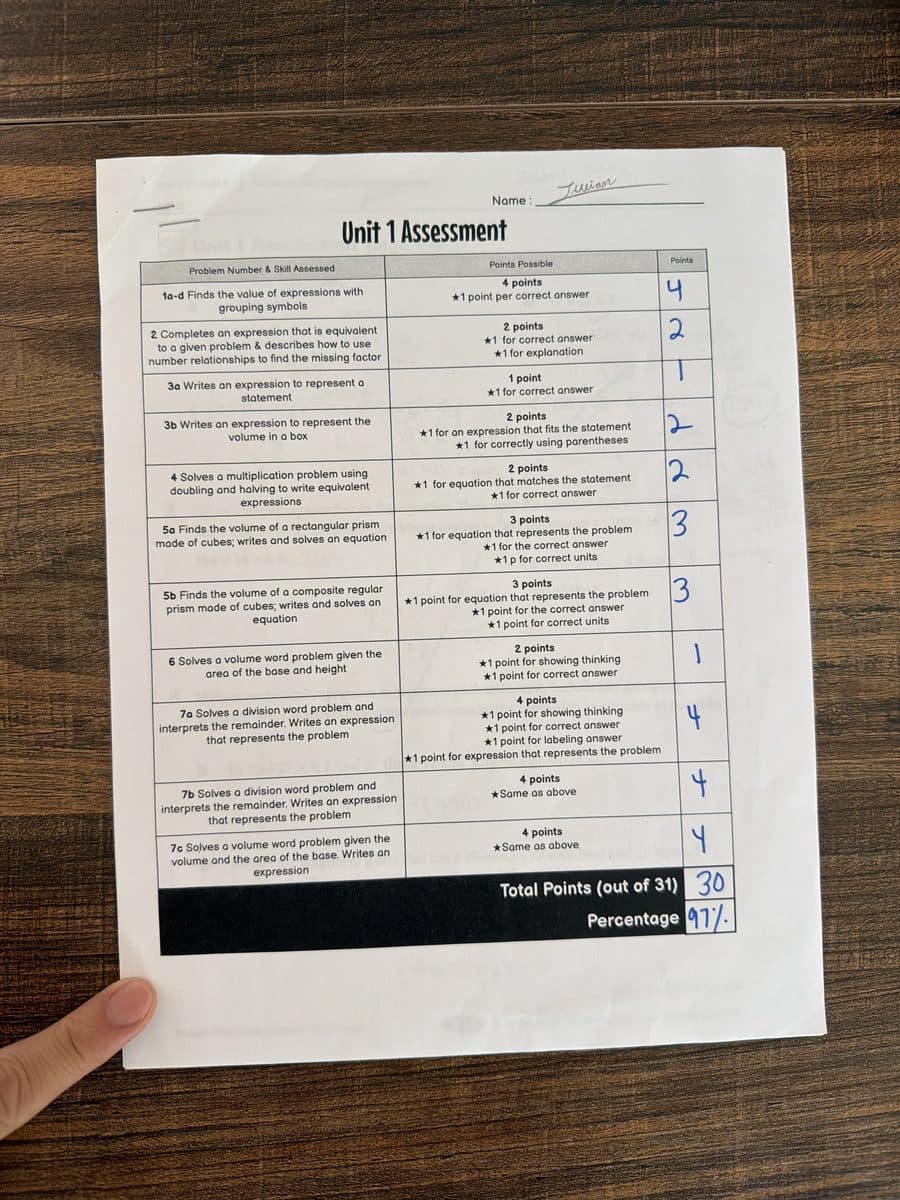

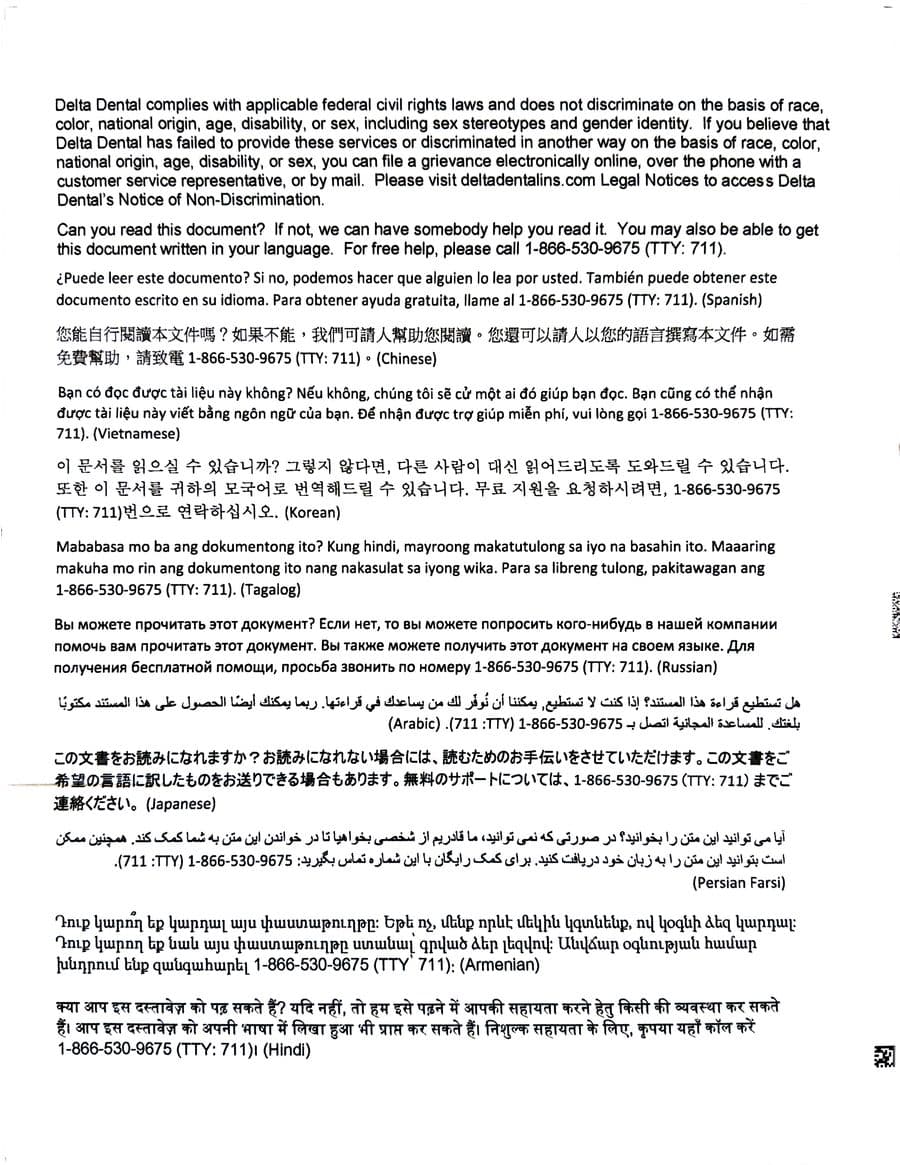
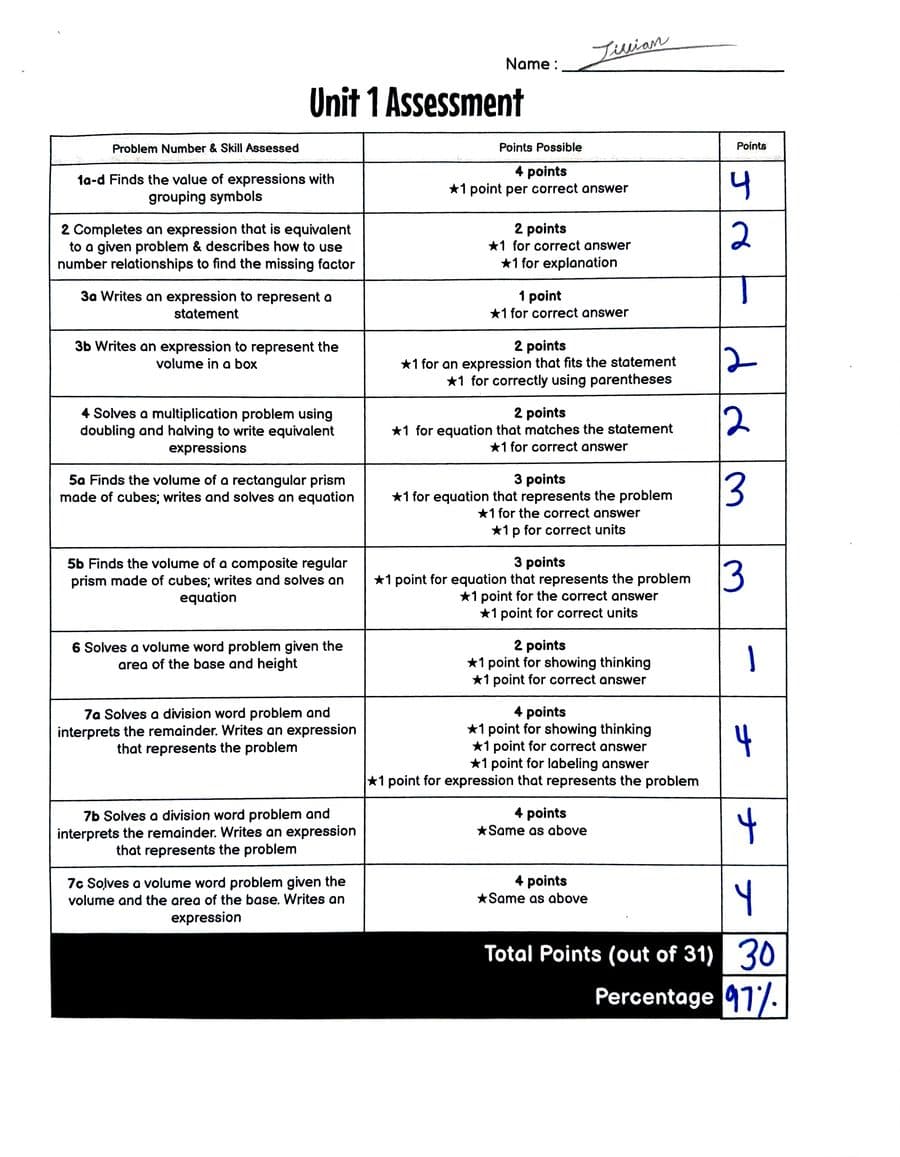
Your photo
ScanMojo's scan
Real photos, real results: each scan is what ScanMojo made from the photo beside it.
Free automatic clean-up
Phone scans usually look like phone photos. ScanMojo's look like they came off an office scanner.
Smart Reminders
Scan anything with a date on it. ScanMojo suggests the reminder, and you choose the day.
Hold your phone over the page. It shoots and cleans up by itself, or import a photo you already took.
ScanMojo reads the dates on the page and suggests a reminder. Take it, or choose your own.
A reminder before the day. Tap it and the document opens at the right page.
IDs and passports too: a reminder six months before they expire, in time to renew.
Free for three at a time. Unlimited reminders with ScanMojo Pro.
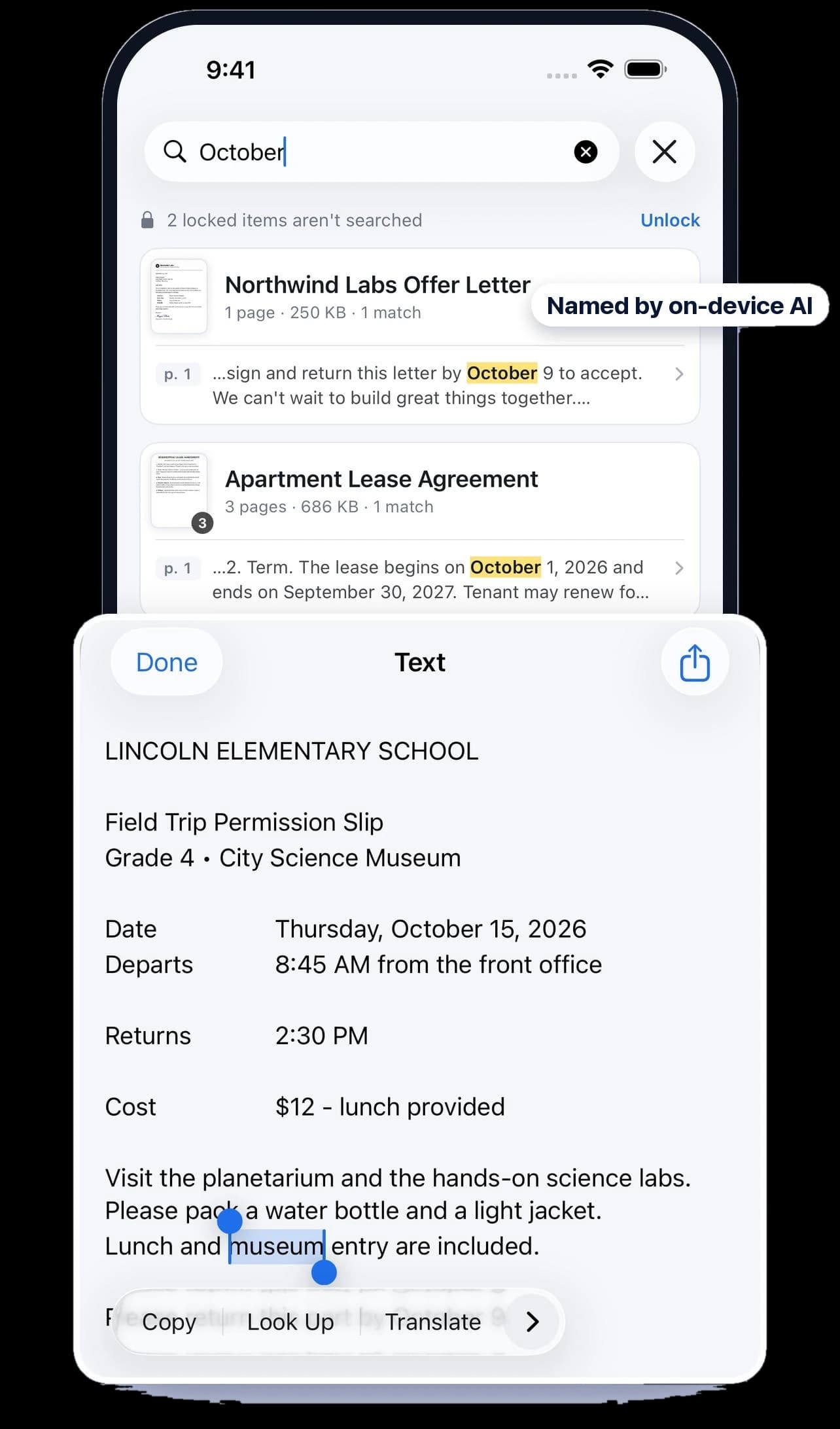
Named by AI, searchable by every word
Every scan is named for you, like “Lease Agreement” instead of “Scan 14”. Months later, type a word you remember, like a name, a month or a policy number, and the page turns up.
Ready to send
A clean scan is half the job. ScanMojo makes a copy that fits where it's going, and your scan stays as it is.
Shrink a PDF to fit email and upload limits, from a preset or a size you choose.
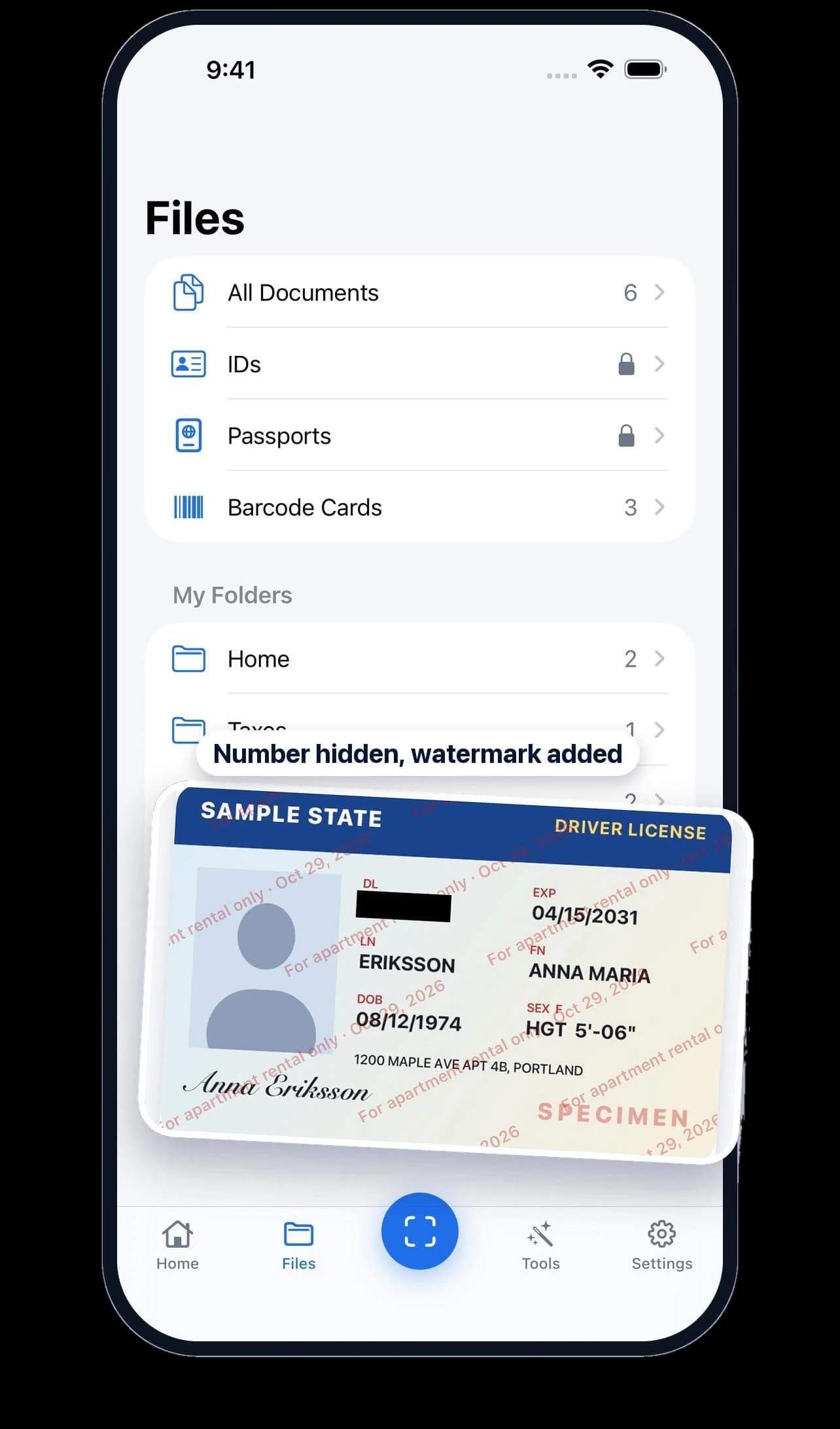
Black out the number and write what the copy is for across it, with the date.
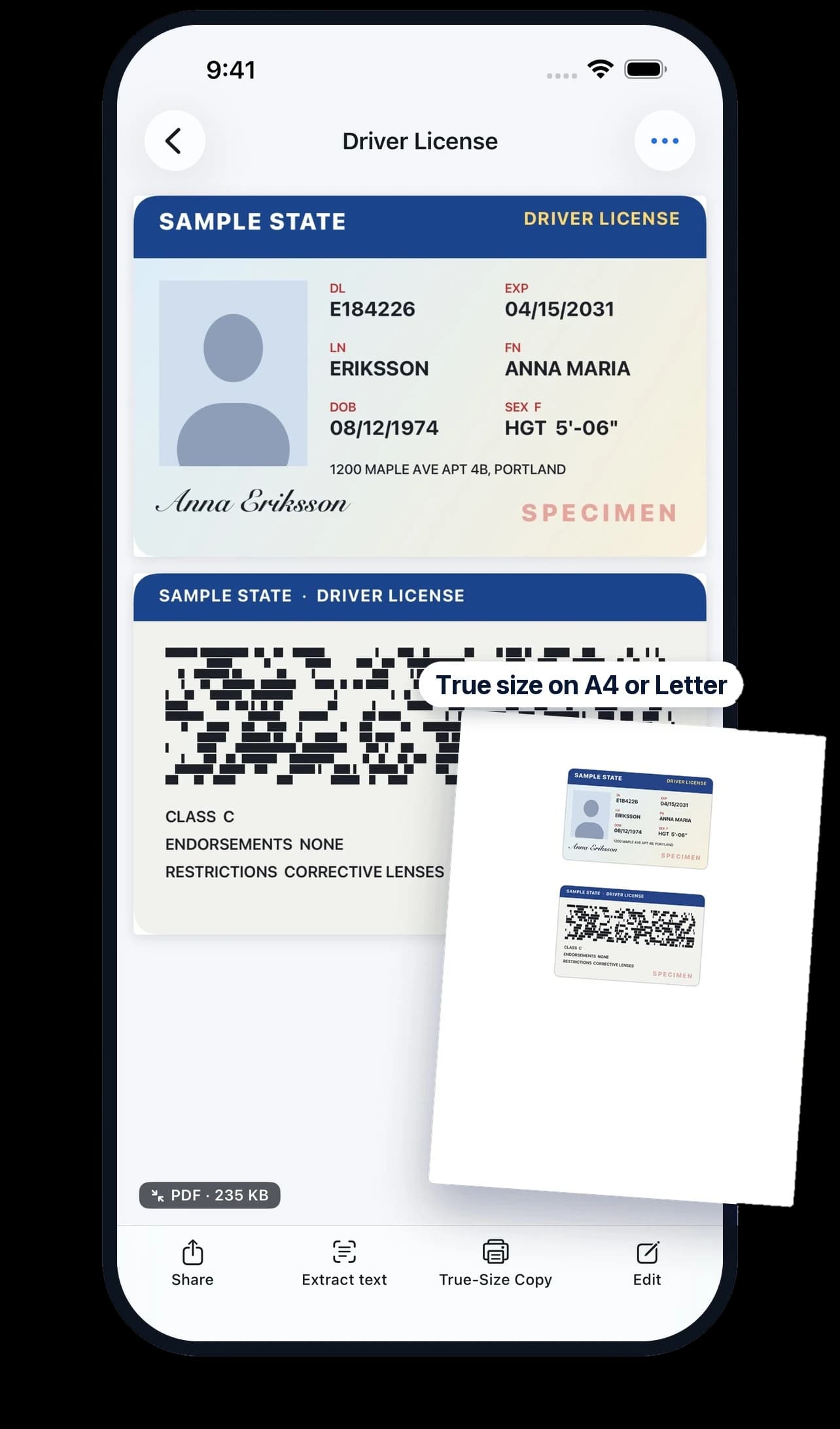
Front and back on one page, printed at real size on Letter or A4.
Sign it and fill it in on your phone. No printer, no second scan.
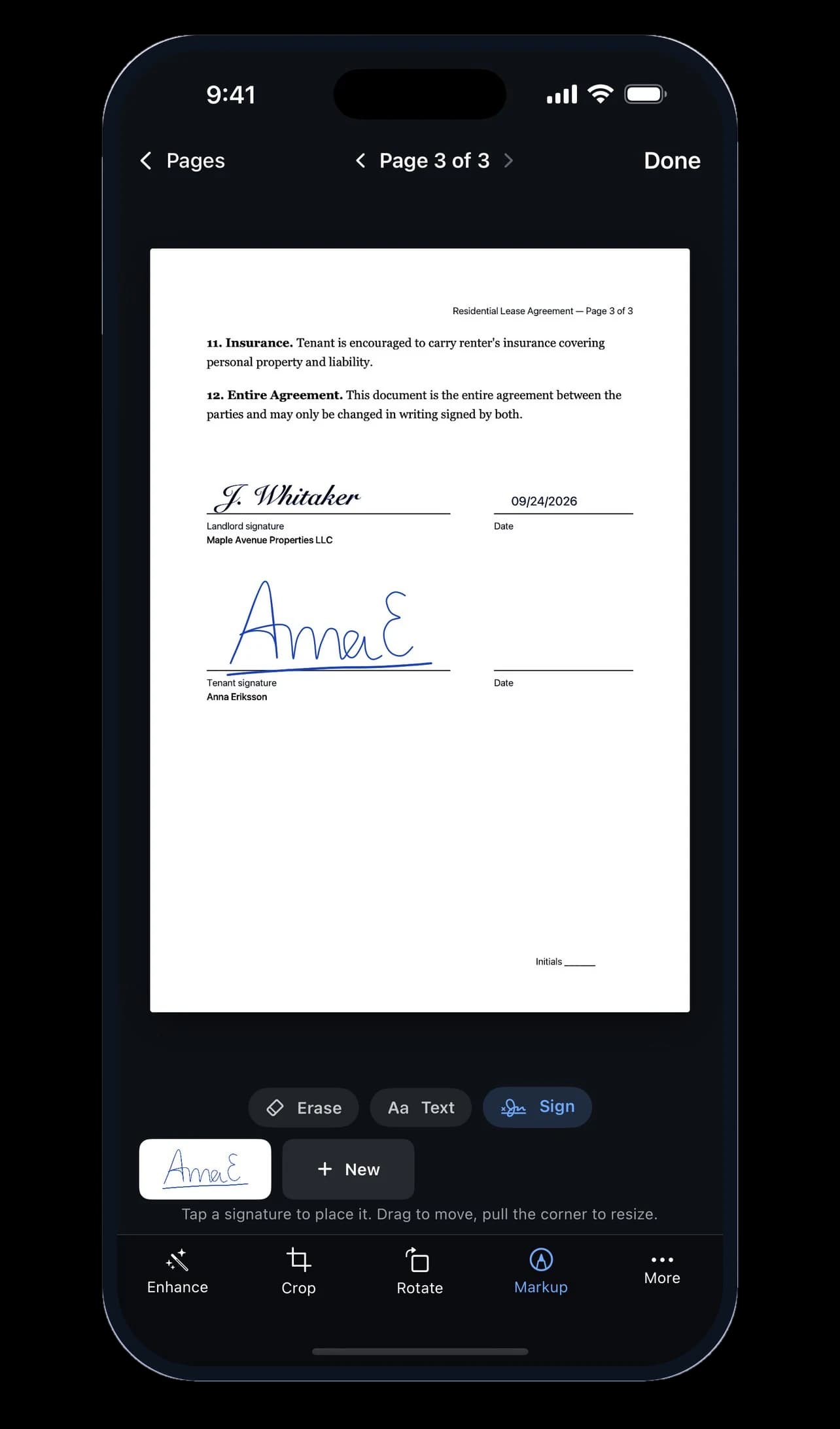
Part of ScanMojo Pro. Yearly starts with 7 days free.
On-device AI · Private by design
AI and computer vision built for paper. Your documents never leave your phone unless you share them or turn on sync to iCloud Drive or Google Drive.
Finds the edges and shoots by itself.
On-device AI makes every scan searchable.
On-device AI titles each scan from the page.
Every step runs on your phone, even offline.
No sign-up, no email, no password to remember.
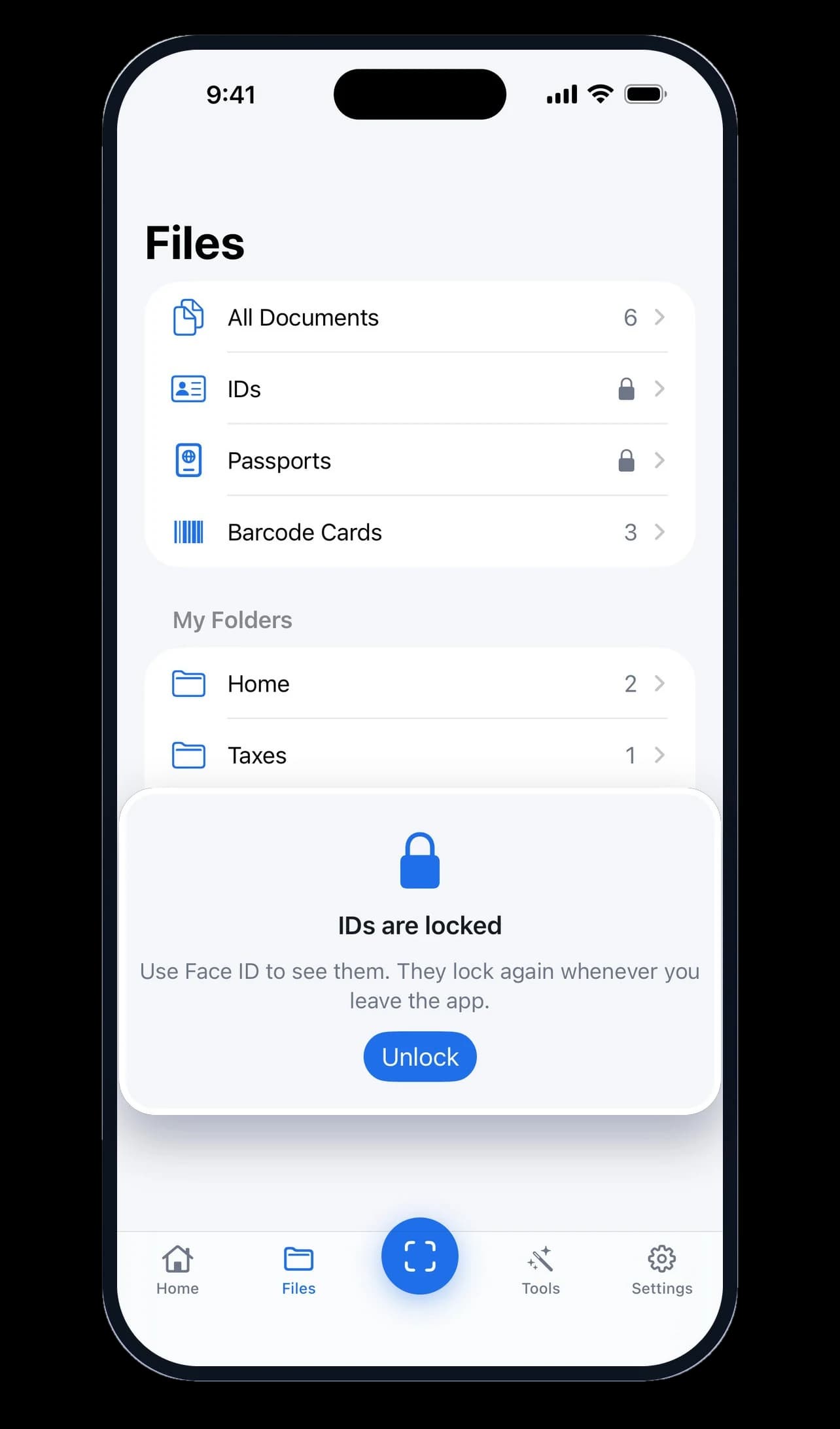
IDs and passports open only with your face or fingerprint.
Free vs Pro
Scanning stays free, with no ads. Pro adds the tools for paperwork you need to send, sign or keep track of.
Free
$0
Forever, no account
Pro
7 days free
Then $39.99/year or $6.99/month
Everything in Free, plus:
ScanMojo Pro
Everything you need to finish, share and protect your documents.
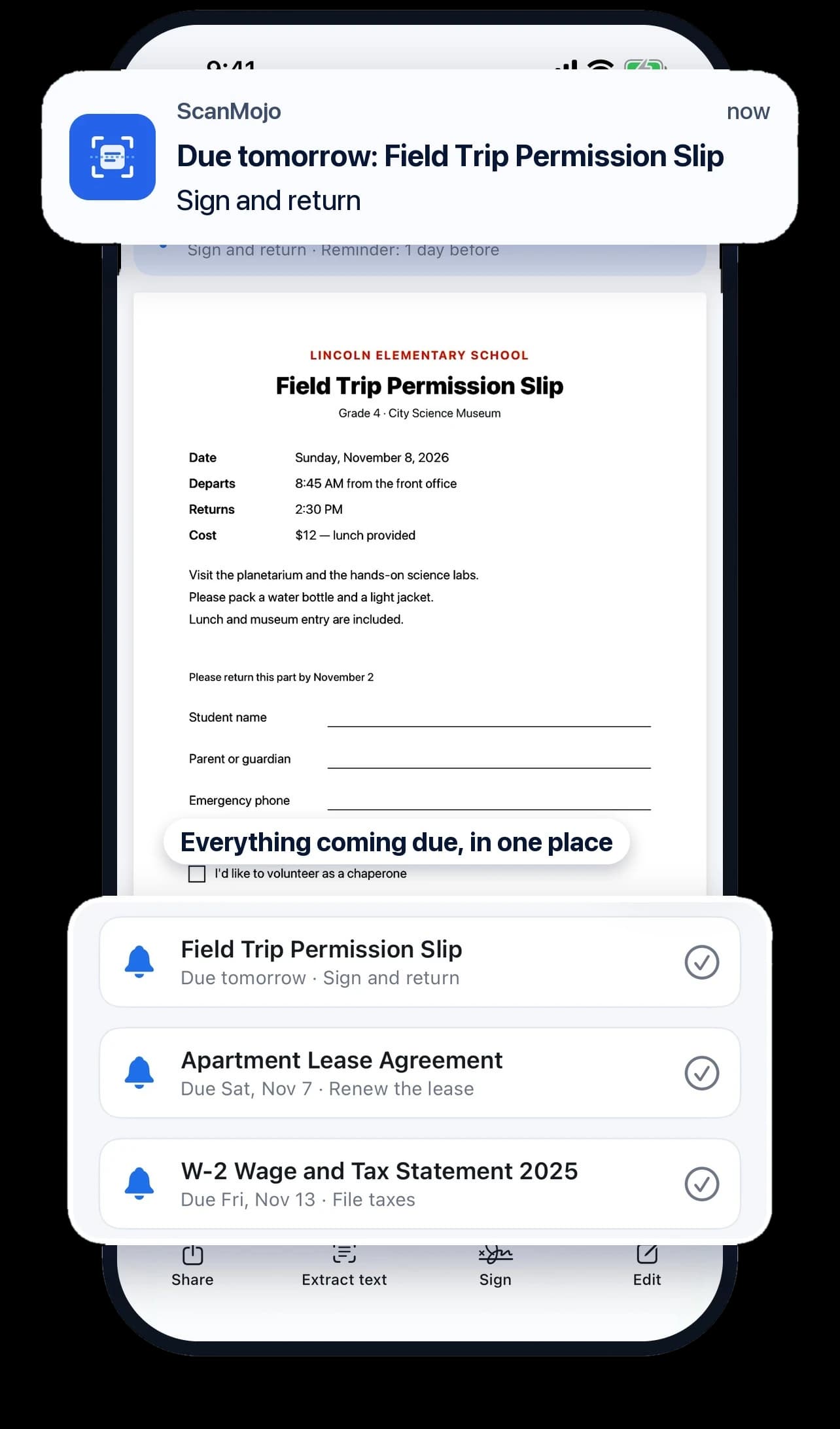
As many reminders as your paperwork needs. Free covers three documents at a time.
Save 52%
Yearly7 days free
Nothing to pay today
$39.99/year
Monthly
Billed monthly, cancel anytime
$6.99/month
Get ScanMojo, then start your 7-day free trial in the app.
7 days free, then $39.99/year. U.S. prices; the App Store or Google Play shows yours before you subscribe. Subscriptions renew automatically until canceled, and you can cancel during the free trial without being charged. Scanning stays free.
FAQ
Yes. Scanning, automatic clean-up, text recognition, search, PDF, image and text export, reminders for three documents at a time, the face or fingerprint lock for IDs, and barcode cards are all free, with no ads, no watermarks and no scan limits. ScanMojo Pro is optional and adds unlimited reminders and tools for sending paperwork, like smaller PDFs, safe ID copies, signing and Word export.
Scan a letter, bill or form, and ScanMojo reads the dates on the page and suggests a reminder. Pick one of those dates or choose your own, and check it before you save. ScanMojo reminds you before the day, and the reminder opens the document at that page. IDs and passports can also get a reminder six months before they expire. Dates are read on your phone. Reminders are free for three documents at a time, and unlimited with ScanMojo Pro.
No. ScanMojo has no ads, in the free app or with Pro.
The scanner in Notes and Files captures and crops a page, and for the occasional scan it does the job. ScanMojo also cleans the page for you: it erases the fingers holding it down, staples and punch holes, evens out shadows, and flattens folded or curled paper so the lines run straight. What you send looks like it came off an office scanner, not a photo of your desk. Your scans get their own library with folders and search by any word, IDs and passports stay in a folder locked with Face ID, and loyalty cards are ready at checkout. PDF, image and text export are free, with no ads, no watermark and no account.
Yes, and all of it runs on your phone. On-device AI reads the text in every scan, in many languages, so you can search your scans and copy their text. On iPhone, Apple's on-device vision model also finds the page, and on iPhones with Apple Intelligence, Apple's on-device language model names each document. The clean-up itself (fingers, staples, punch holes, shadows, folds and curled lines) is computer vision ScanMojo built for paper. Nothing is sent to the cloud, and it all works offline.
No. Scans are stored and processed on your phone, including text recognition. There's no account, and we never receive your scans. Your scans never leave your phone unless you share or export them yourself, or turn on sync to your own iCloud Drive or Google Drive (a Pro option).
Pro is for paperwork you need to deal with, not just keep. Set as many reminders as you need, not just three at a time. Make a PDF smaller to fit an upload limit, from a preset or a size you choose. Send a safe copy of an ID: the number blacked out and what it's for written across every page, with the date. Print an ID or passport front and back on one page at real size, like a photocopy. Sign any page and fill in text, so a form goes back without a printer. Turn a printed page into a Word document or an Excel spreadsheet, laid out like the original. Keep every scan as a PDF in iCloud Drive on iPhone or Google Drive on Android. Merge scans into one PDF, lock a PDF with a password, and share many documents at once. You can make a smaller PDF, a safe copy or a true-size ID copy and see it before you pay; Pro is needed to share or print it. Scanning, clean-up, search and PDF export stay free, and yearly Pro starts with a 7-day free trial.
In the U.S., Pro is $39.99 a year with a 7-day free trial, or $6.99 a month. Prices in other countries are set by the App Store and shown before you subscribe.
In ScanMojo, open Settings › Manage Subscription, or on iPhone open Settings › your name › Subscriptions. Cancel at least a day before the trial or period ends and you won't be charged again. Scanning stays free either way.
Open ScanMojo › Settings › Redeem Code and enter it, or open scanmojo.app/redeem/YOURCODE on your iPhone.
Yes. Scanning, clean-up, text recognition and search all run on your phone, so they work without a connection.
iPhone with iOS 17 or later, from the App Store, and Android phones with Android 8.0 or later, from Google Play.
Free on the App Store and Google Play.
Questions or ideas? [email protected]